System keyboard
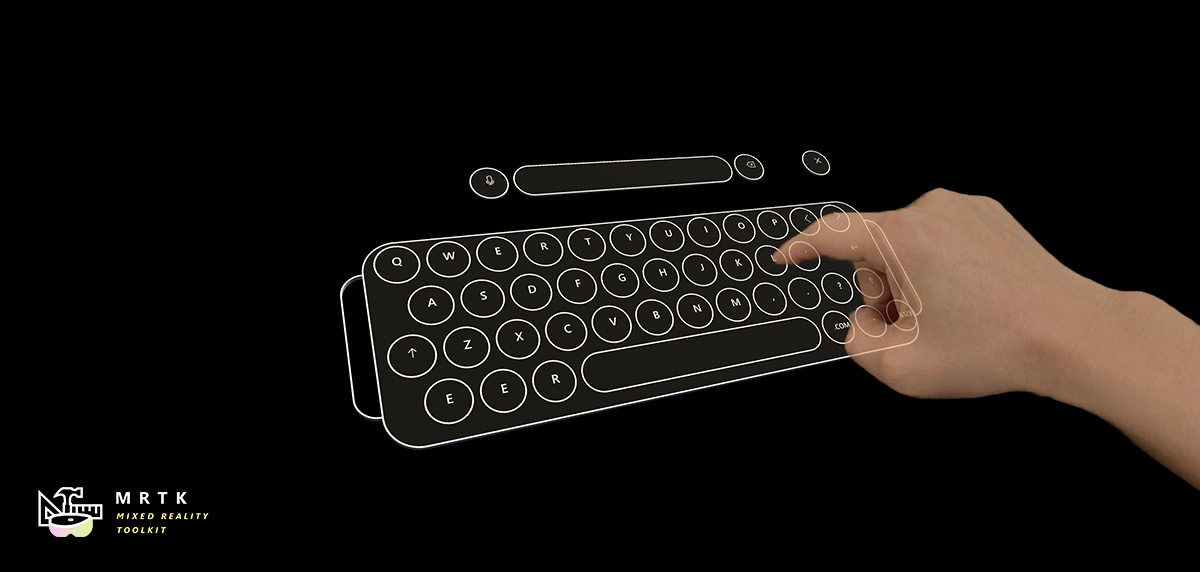
A Unity application can invoke the system keyboard at any time. Note that the system keyboard will behave according to the target platform's capabilities, for example the keyboard on HoloLens 2 would support direct hand interactions, while the keyboard on HoloLens (1st gen) would support GGV1.
How to invoke the system keyboard
public TouchScreenKeyboard keyboard;

...

public void OpenSystemKeyboard()
{
    keyboard = TouchScreenKeyboard.Open("", TouchScreenKeyboardType.Default, false, false, false, false);
}
How to read the input
public TouchScreenKeyboard keyboard;

...

private void Update()
{
    if (keyboard != null)
    {
        keyboardText = keyboard.text;
        // Do stuff with keyboardText
    }
}
System keyboard example
You can see a simple example of how to bring up system keyboard in MixedRealityKeyboard.cs