• Guides
    • English
    • 日本語
  • API Documentation
  • Feature Overviews
  • UX Building Blocks
  • App Bar

    Show / Hide Table of Contents
    • Getting Started with MRTK
      • Release Notes
      • MRTK Package Contents
      • Updating from earlier versions
      • Upgrading from HTK
      • Building and Deploying MRTK
      • NuGet Packages
      • Getting started with MRTK and XR SDK
      • Performance
      • Hologram Stabilization
    • Architecture
      • Overview
      • Framework and Runtime
      • Input System
        • Terminology
        • Core System
        • Controllers, Pointers, and Focus
      • Systems, Extension Services and Data Providers
    • Feature Overviews
      • Boundary System
        • Boundary System Overview
        • Configuring the Boundary Visualization
      • Camera System
        • Camera System Overview
        • Camera Settings Providers
          • Windows Mixed Reality Camera Settings
          • Unity AR Camera Settings [Experimental]
          • Creating a camera settings provider
      • Cross Platform Support
        • Configure MRTK for iOS and Android
      • Detecting Platform Capabilities
      • Diagnostics System
        • Diagnostics System Overview
        • Configuring the Diagnostics System
        • Using the Visual Profiler
      • Extension Services
        • Extension Service Creation Wizard
        • Scene Transition Service Overview
        • Hand Physics Service Overview
      • Input System
        • Input Overview
        • Input Actions
        • Input Events
        • Input Providers
          • Input Providers Overview
          • Creating an input data provider
        • Controllers
        • Eyes
        • Gaze
        • Gestures
        • Hands
        • How to Add Near Interaction
        • In-Editor Input Simulation
        • Pointers
        • Voice Input
          • Dictation
          • Speech (Command and Control)
      • Multi Scene System
        • Multi Scene System Overview
        • Scene Types
        • Content Scene Loading
        • Monitoring Content Loading
        • Lighting Scene Operations
      • Packaging
        • MRTK Packages
        • MRTK Modularization
      • Profiles
        • Profiles Overview
        • Configuration Guide
      • Rendering
        • Material Instance Overview
        • Shaders
          • MRTK Standard Shader
      • Services
        • What makes a mixed reality feature
        • What are the MixedRealityServiceRegistry and IMixedRealityServiceRegistrar
        • Extension services
      • Spatial Awareness System
        • Spatial Awareness Overview
        • Spatial Observers
          • Configuring Observers for Device
          • Configuring Observers for Editor
          • Controlling Observers via Code
          • Creating a custom Observer
      • Teleport System Overview
      • Tools
        • Dependency Window
        • Extension Service Creation Wizard
        • Holographic Remoting
        • Input Animation Recording
          • Input Animation File Format Specification
        • Optimize Window
        • Runtime tools
          • Controller Mapping tool
      • UX Building Blocks
        • Interactable
        • Button
        • Bounding Box
        • Object Manipulation
        • Sliders
        • Fingertip Visualization
        • App Bar
        • Object Collection
        • Slate
        • System Keyboard
        • Tooltips
        • Solvers
      • Example Scenes
        • Examples Hub
        • Hand Interaction Example
        • Eye Tracking Interaction Example
      • Experimental
        • Scrolling Object Collection
        • Hand Coach UX
        • Pulse Shader
    • Contributing
      • Contributing Overview
      • Coding Guidelines
      • Writing and Running Tests
      • Writing Documentation
      • Pull Requests
      • Experimental Features
      • Breaking Changes
      • How to use DocFX
    • Planning
      • Roadmap
    • Notice
    • Authors

    App bar

    App bar

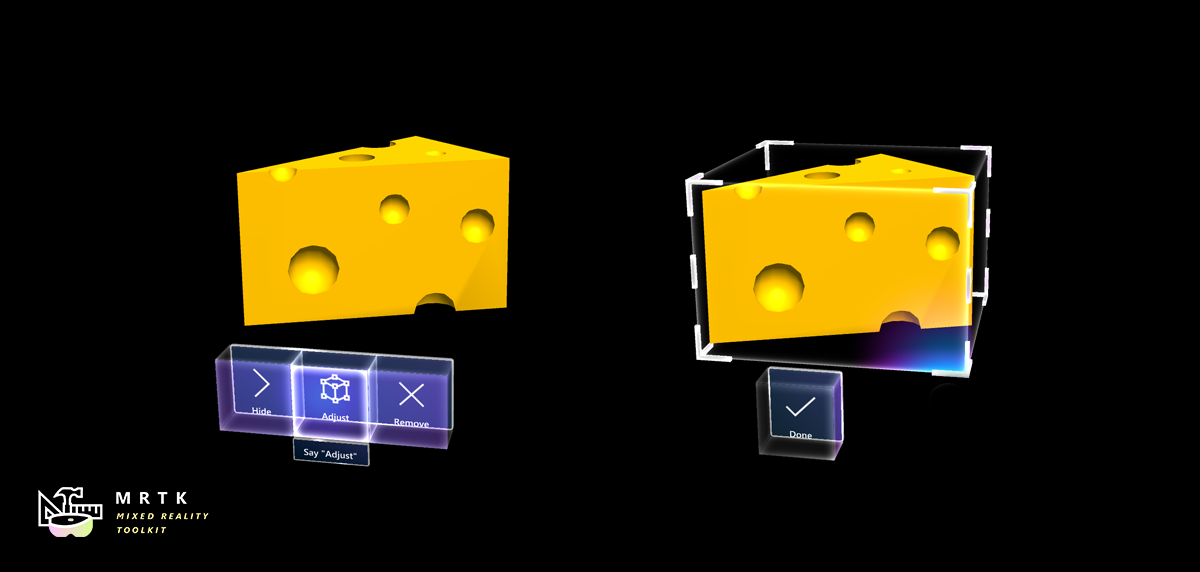
    App bar is a UI component that is used together with the bounding box script. It adds button controls to an object with the intent to manipulate it. Using the 'Adjust' button, the bounding box interface for an object can be de- / activated. The "Remove" button should remove the object from the scene.

    How to use app bar

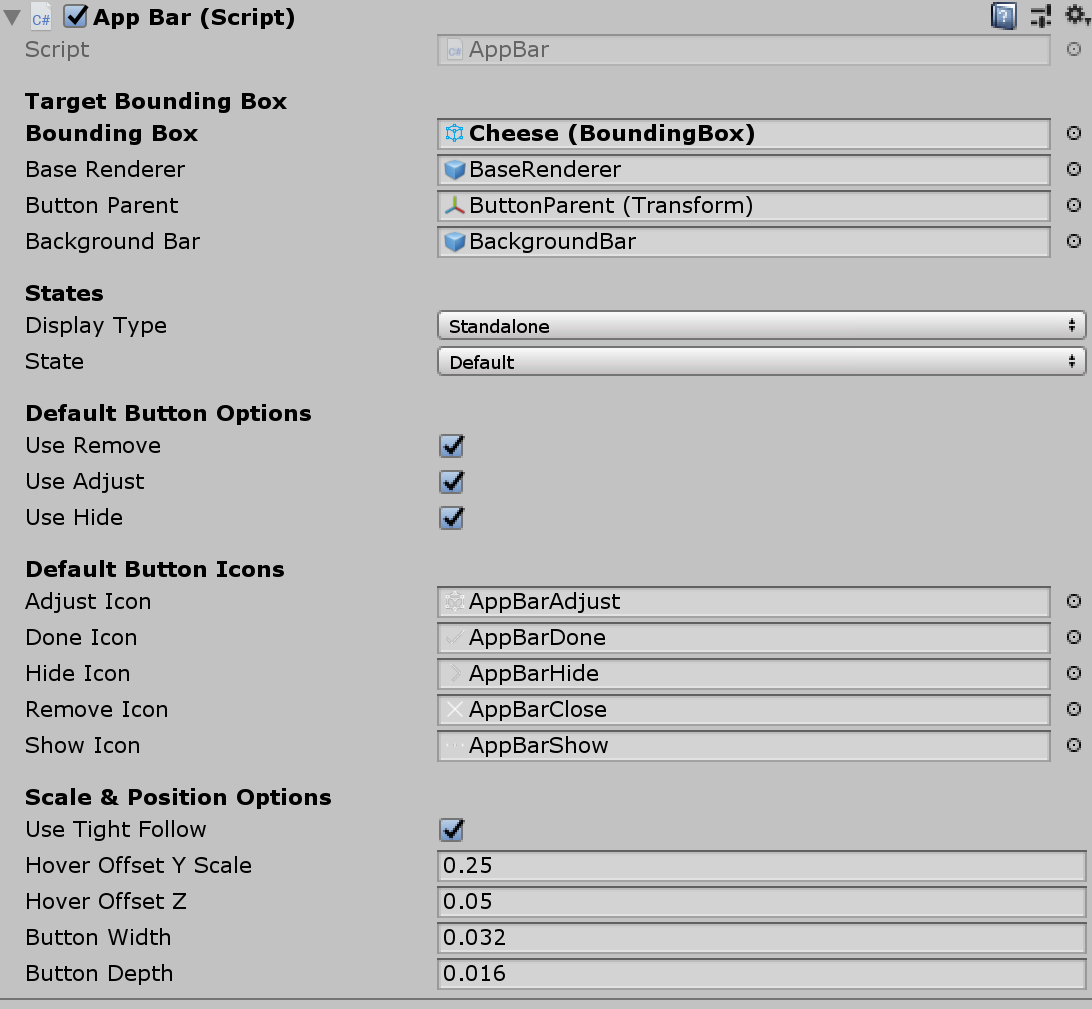
    Drag and drop AppBar.prefab into the scene hierarchy. In the inspector panel of the component, assign any object with a bounding box as the Target Bounding Box to add the app bar to it.

    Important: The bounding box activation option for the target object should be 'Activate Manually'.
    • Improve this Doc
    In This Article
    • How to use app bar
    Back to top Generated by DocFX